
User Manual Hints
- Use the table of Contents to find the topic or area of interest.
- Use Browser keyboard shortcuts to find a keyword (i.e. Internet Explorer, Mozilla Firefox use CTRL-F) and type in keyword. These vary according to the machine and browser being used.
- Use Links at the bottom of pages to jump to Contents or Next manual page.
- If a URL link is to website outside Morphbank, use "right click" (PC) or "control-click" (Mac) to open a new tab to the URL.
- Links to pages within this manual take the user directly to the desired page. Use "right click" (PC) or "control-click" (Mac) to open a tab to another manual page.
- Use the Contents button to choose another page in the Manual.
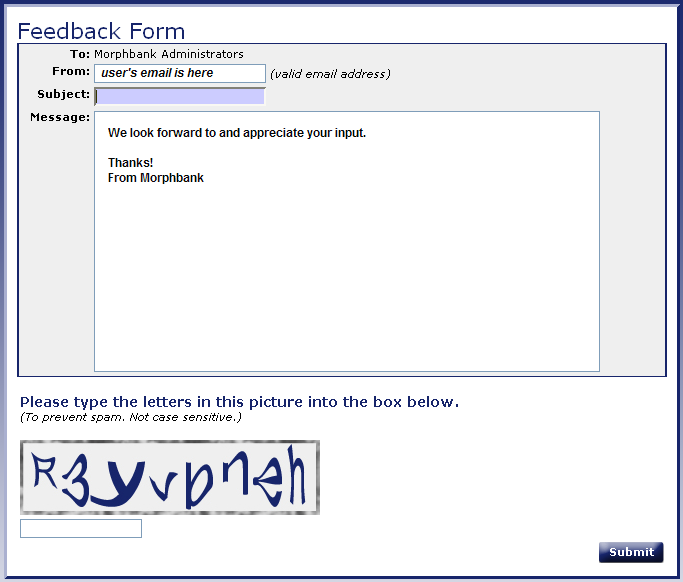
- Click the
 link at the top or bottom of any page in the My Manager interface of Morphbank.
It opens the following window providing an easy and timely way for users to share their
observations as they experience Morphbank.
link at the top or bottom of any page in the My Manager interface of Morphbank.
It opens the following window providing an easy and timely way for users to share their
observations as they experience Morphbank.
Next |
Contents |

